NO PURCHASE NECESSARY TO ENTER OR WIN (SEE FREE ALTERNATE METHOD OF ENTRY FORMS, AMOE – SECTION 4B). A PURCHASE WILL NOT INCREASE YOUR CHANCES OF WINNING.
Participation constitutes entrant’s full and unconditional agreement to these Official Rules and Sponsor’s decisions, which are final and binding in all matters related to the Sweepstakes.
- 1. Sponsor.
The Sweepstakes is sponsored by American Greetings Corporation, One American Boulevard, Westlake, Ohio 44145 (“Sponsor”). Certain prizes are fulfilled by Jifiti, 1985 W. Henderson Rd. Columbus, OH 43220 acting solely as prize provider and not as a sponsor or co‑sponsor. Sponsor is not responsible for any acts or omissions of the Prize Provider in connection with prize fulfillment, except as required by applicable law.
- 2. Eligibility.
The Sweepstakes is open only to legal residents of the fifty (50) United States and the District of Columbia who are eighteen (18) years of age or older at the time of entry. Employees, officers, and directors of Sponsor, its affiliates, subsidiaries, promotion partners, prize providers, and their immediate family members and household members are not eligible. Void where prohibited by law.
- 3. Sweepstakes Periods.
The promotion consists of two (2) separate Sweepstakes with independent entry pools and drawings:
- Mother’s Day Sweepstakes: May 1, 2026 at 12:00 a.m. ET through May 10, 2026 at 11:59 p.m. ET
- Father’s Day Sweepstakes: June 1, 2026 at 12:00 a.m. ET through June 21, 2026 at 11:59 p.m. ET
Sponsor’s computer is the official timekeeping device.
- 4. How to Enter
No Purchase Necessary. There are two (2) ways to enter which provide equal odds of winning:
- A. Purchase‑Related Entry (Optional): During the applicable Sweepstakes Period, eligible individuals who purchase and send a digital gift card through an American Greetings® or Blue Mountain Arts® website may be offered the opportunity, independent of any purchase, after completing the transaction to enter the applicable Sweepstakes by completing the online entry form and affirming agreement to these Official Rules.
- B. Free Alternate Method of Entry (AMOE): During the applicable Sweepstakes Period, visit the designated entry website for these Official Rules, and complete the online entry form (https://americangreetings.com/gift-card-giveaway-form, https://bluemountain.com/gift-card-giveaway) with all required information.
Limit one (1) entry per person per Sweepstakes, regardless of entry method.
- 5. Prizes / Approximate Retail Value (ARV).
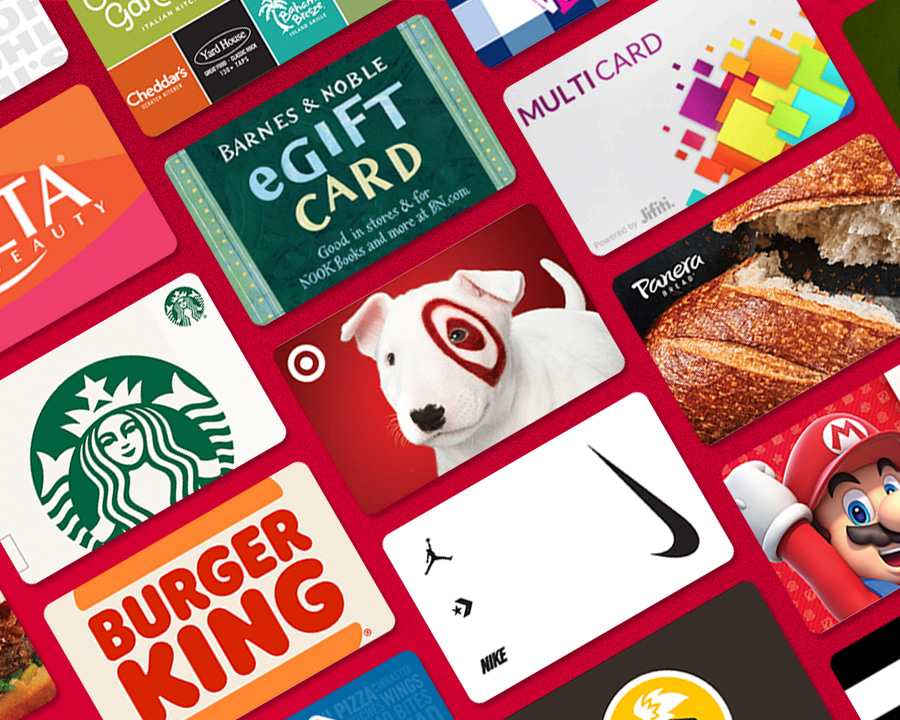
- Mother’s Day Sweepstakes: Two (2) winners will each receive one (1) $250 Mastercard® gift card.
- Father’s Day Sweepstakes: Two (2) winners will each receive one (1) $250 Mastercard® gift card.
ARV of each prize: $250 USD. Total ARV per Sweepstakes: $500 USD. Gift cards expire twelve (12) months after issuance and are subject to issuer terms and conditions. Expiration is determined by the card issuer’s terms and is not controlled by Sponsor.
Mastercard is a registered trademark of Mastercard International Incorporated. Mastercard is not a sponsor of, nor affiliated with, this Sweepstakes.
- 6. Odds
Odds of winning depend on the total number of eligible entries received during the applicable Sweepstakes Period.
- 7. General Prize Information. A Prize must be accepted as awarded, and cannot be transferred, assigned or exchanged for cash. The Sponsor reserves the right to substitute all or any part of a Prize for a prize of equal or greater value, at its sole discretion. Should a Prize (or any part or aspect of a Prize) be postponed or unavailable for any reason, the balance of the Prize will be awarded in full satisfaction of the Prize, and the Sponsor shall not be required to replace the unavailable or postponed component, except in its sole discretion. Any unused portion of a Prize is forfeited and has no cash value. In Sponsor’s sole discretion, a forfeited prize may be allocated to another eligible entrant.
- 8. Winner Selection & Notification.
Winners will be selected in random drawings conducted on or about May 11, 2026 (Mother’s Day Sweepstakes) and June 22, 2026 (Father’s Day Sweepstakes) from among all eligible entries received during the applicable Sweepstakes Period. Odds of winning depend on the total number of eligible entries received.
Potential winners will be notified by email from americangreetings@notify.americangreetings.com or bluemountain@notify.bluemountain.com (or phone, if necessary) and must respond within forty eight (48) hours of the notification or attempted notification to confirm eligibility. Failure to respond within the specified time period may result in forfeiture of the Prize and selection of an alternate winner. Receiving a Prize is contingent upon full and unconditional compliance with these Official Rules. Potential winners may be required to sign and return a Declaration of Compliance, Liability and Publicity Release and, if required for tax reporting purposes, an IRS Form W 9 (collectively, the “Release Documents”) within the timeframe specified by Sponsor. If a potential winner cannot be contacted, fails to timely return required Release Documents, is determined to be ineligible or not in compliance with these Official Rules, declines or fails to accept the Prize, or if the Prize is returned as undeliverable, the potential winner will be disqualified and the Prize forfeited. In the event of forfeiture or disqualification, Sponsor reserves the right to award the Prize to an alternate winner by random drawing from among the remaining eligible entries, time permitting. There will be up to three (3) alternate drawings, after which the Prize may remain unawarded.
Sponsor is not responsible for any undelivered notifications, including emails that are not received due to a winner’s privacy or spam filter settings. Entrants are encouraged to check their spam or junk email folders for any Sweepstakes related communications. Notification will be deemed attempted when sent.
- 9. General Rules. Sponsor reserves the right, in its sole discretion, to cancel, suspend, and/or modify the Sweepstakes, or any part thereof, if the integrity, administration, security, or proper operation of the Sweepstakes is compromised or impaired in any way, including by fraud, suspected fraud, technical failures, system errors, unauthorized intervention, or other causes beyond Sponsor’s reasonable control that materially impair the integrity, fairness, or proper operation of the Sweepstakes. In no event will Sponsor be required to award more prizes than the number stated in these Official Rules or award prizes other than those expressly described herein. Any such action will be taken in a manner intended to preserve the fair and equitable administration of the Sweepstakes. If for any reason, including without limitation production, technical, programming, operational, platform, or fulfillment errors, more than the stated number of prizes are claimed or made available, Sponsor reserves the right to award only the stated number of prizes by a random drawing from among all legitimate, eligible, unawarded prize claims.
All entries are subject to verification by Sponsor, and Sponsor reserves the right, acting reasonably and in good faith, to disqualify and cancel any entry that is incomplete, illegible, corrupted, fraudulent, forged, mechanically reproduced, tampered with, or otherwise not in compliance with these Official Rules, or to disqualify any entrant who Sponsor determines has violated these Official Rules or engaged in deceptive or disruptive conduct. Any attempt by any individual to deliberately undermine the legitimate operation of the Sweepstakes may be a violation of criminal and civil law, and, should such an attempt be made, Sponsor reserves the right to seek all remedies available under applicable law, including civil and criminal prosecution.
- 10. Release. By entering this Sweepstakes, entrants agree, to the fullest extent permitted by applicable law, to release and hold harmless Sponsor, its promotion partners, prize providers, advertising and promotion agencies, and each of their respective parent companies, affiliates, subsidiaries, and the officers, directors, shareholders, employees, representatives, and agents of each (collectively, the “Sweepstakes Group”) from and against any and all claims, liabilities, losses, damages, or expenses (including reasonable attorneys’ fees) arising out of or relating to participation in this Sweepstakes or the acceptance, receipt, use, or misuse of any prize, except to the extent caused by the gross negligence or willful misconduct of a member of the Sweepstakes Group. Nothing in these Official Rules limits any rights that cannot be waived under applicable law.
Without limiting the foregoing, entrants agree to release and hold harmless the Sweepstakes Group from any claims based on publicity rights, defamation, or invasion of privacy arising from the authorized use of entrant’s name, likeness, or other permitted biographical information as contemplated by these Official Rules. SOME JURISDICTIONS DO NOT ALLOW THE LIMITATION OR EXCLUSION OF LIABILITY FOR INCIDENTAL, CONSEQUENTIAL, OR OTHER DAMAGES, SO THE ABOVE LIMITATIONS MAY NOT APPLY TO YOU.
- 11. LIMITATION OF LIABILITY: The Sweepstakes Group makes no guarantee or representation of any kind concerning any Prize and disclaims any express or implied warranties concerning any Prize, to the fullest extent permitted by applicable law. The Sweepstakes Group will not be responsible for: (a) late, lost, misdirected, incomplete, illegible, or incorrect entries; (b) an entrant’s failure to receive prize notifications due to incorrect or non‑functioning contact information or email security, spam, junk email, or similar filtering settings; (c) technical, hardware, software, network, platform, Internet, or other system malfunctions, interruptions, or unavailability; (d) failed, incorrect, incomplete, garbled, or delayed electronic communications, whether caused by the sender, user equipment, or by any equipment, systems, platforms, or programs associated with or used in the Sweepstakes; (e) human error in the administration or processing of entries; or (f) any other typographical, technological, programming, production, operational, or administrative error in the administration of the Sweepstakes or the announcement of any prize.
If, as determined by Sponsor acting reasonably and in good faith, any such errors or suspected tampering compromise the integrity, fairness, or proper operation of the Sweepstakes, Sponsor reserves the right to cancel, suspend, modify, or terminate the Sweepstakes in whole or in part in a manner intended to preserve the fair and equitable administration of the Sweepstakes. In the event of termination, winners will be selected from among all eligible, non‑suspect entries received prior to termination. In the event of a dispute regarding the identity of a potentially winning entrant, the entry will be deemed submitted by the authorized account holder of the email address used to enter, as determined by Sponsor.
- 12. Publicity. Except where prohibited by law, entry into the Sweepstakes and acceptance of a Prize constitutes the winner’s consent for Sponsor to use the winner’s name, prize won, home state, likeness, photographs, and any statements made by the winner regarding the Sweepstakes or Prize, for purposes of advertising, promotion, and publicity in connection with the Sweepstakes, in any and all media now or hereafter known, throughout the world, without additional compensation, notification, or permission, to the fullest extent permitted by applicable law.
- 13. Choice of Law and Forum. Entrant agrees that, except where prohibited by applicable law, all matters arising out of or relating to this Sweepstakes and these Official Rules shall be governed by and construed in accordance with the laws of the State of Ohio, without giving effect to any conflict‑of‑laws principles that would result in the application of the laws of any other jurisdiction. Entrant further agrees that any legal suit, action, or proceeding arising out of or relating to this Sweepstakes or these Official Rules shall be brought exclusively in the applicable state or federal courts located within Cuyahoga County, Ohio, and entrant knowingly and voluntarily submits to the personal jurisdiction of such courts.
- 14. Privacy. Personal information collected is subject to Sponsor’s Privacy Policy: https://www.americangreetings.com/privacy-policy, https://bluemountain.com/privacy-policy. Information may be shared with service providers and prize fulfillment partners solely for Sweepstakes administration.
- 15. Sponsor/Prize Provider.
Sponsor: American Greetings Corporation, One American Boulevard, Westlake, Ohio 44145
Prize Provider: Jifiti, 1985 W. Henderson Rd. Columbus, OH 43220